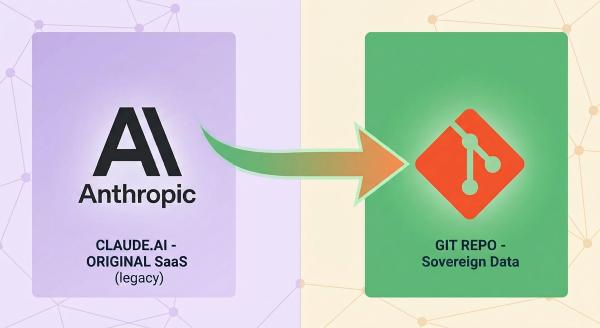
For a while, claude.ai was where my work with Claude lived.
Every question, every half-finished plan, every “wait, how did I fix that last time” answer was sitting in a chat history I didn’t control, couldn’t grep, and couldn’t guarantee would still be there in a year.
What if I stopped using Claude altogether? Could I export all conversations?
As of June 5th, I have replaced it with a much more straightforward and self-reliant option: a personal git repository called my-claude-conversations (you won’t find it, as it’s private).
The Trouble With an Unowned Chat Transcript
A hosted chat history works for a single conversation. But the moment you want it to be a memory it all falls apart.
I work across several machines on projects that span weeks, single requests, or research that lives in a single conversation. Frequently, I find myself wondering where I had that conversation about a research session, a brainstorm, or a debugging session in which I learned something and that I need to use for a repeated task. Finding it was not straight-forward.
The chat list functionality of a web app is not optimally served, even when I use folder or projects as a Claude Pro member. Therefore, I created a repository that takes on this role. This repository can be cloned, versioned, searched and backed up just like any other software.
Plus, I have been a Pro member of Claude since February, regularly using Claude Code. I was wondering if I could use the new Git repository to store my Claude Code sessions and save them.
Save a Session from Anywhere
The core of it is a /save-session skill.
I run it at the end of any Claude Code session I want to record, in any project. It does two things:
- it renders the session’s transcript into a self-contained HTML replay,
- and it writes a short markdown summary of what happened.
Both land in this new repository, under replays/ and summaries/, named YYYY-MM-DD-slug so they sort chronologically and stay easy to scan.
What makes it work “from anywhere” is that it isn’t tied to any one project. It’s a global skill that installs once under my user profile. It locates the my-claude-conversations clone on whichever machine I’m on, and clones it fresh if it isn’t there yet.
The fact that it can automatically adapt to the operating system was more important to me. The skill now detects the OS and adapts its paths accordingly, meaning that it behaves correctly on both systems without me having to think about it.
I have the ability to save any of my projects and, if I find that the current session is suitable for a future postmortem or insight sharing, I can easily replay the entire session as if I had just resumed working in Claude Code. The summary offers a concise overview of the session, as the replay does not include the full session content in HTML. I use claude-replay project to record a snapshot of the session in Claude Code. When you open the HTML produced, it feels like you are back in the past, with all the prompts you submitted every answer the LLM replied, and even some thinking parts. I find this so cool! But when you look at the HTML, the actual data is compressed and not readable by humans.
Baby Steps
The skill itself went through significant changes before it was finalized.
Earlier versions triggered two separate permission prompts: one to locate the session transcript, and one to render it with claude-replay. These prompts quickly became tiresome, so a single wrapper script was created, which led to one approval per save.
It also used to occasionally rediscover its own tool’s flags mid-run, adding a wasted round-trip before it could act; baking the exact invocation into the skill removed that too.
Multi-Session Projects Get Their Own Folder
Not every task can be encapsulated in a single saved session. I collaborate with Claude on various independent projects that require multiple sessions to complete, such as designing a solar system for a residence, determining how to transition away from a critical platform, or navigating a complex technical migration.
For those, I keep a whole working folder under prompts/. Like one-time sessions, they’re named the same way as a session, YYYY-MM-DD-slug, but holding a lot more: the initial prompt that kicked things off, a living plan document that gets corrected in place rather than rewritten from scratch, numbered rounds of my feedback as the plan matures, and whatever calculation scripts or raw data the analysis needed.
It’s a heavier structure than a single replay and summary, and it’s meant to be. A session record tells me what happened in one sitting. A prompts/ folder tells me how a decision got made, round by round, with the reasoning still attached to it.
Where Is This Heading
The summaries in particular have become something I go back to them when deciding on my next topic I can write on. I read back through them, because they’re the records I have of sessions that actually taught me something. Often, they’re worth sharing, whether that’s a fix, a comparison, or a lesson learned the hard way. That’s still a manual pass on my end today and will remain so. But it’s the direction the archive is pulling me in: not just a record of what I did with Claude, but raw material for what I write about it afterward.
This approach replaces the assumption that a conversation is worth keeping only while the chat window remembers it.
The benefit of holding the record for me is immense. In a depository where I can copy, contrast, and investigate, I transform each encounter into a teachable moment, rather than a one-time experience.
No more Claude.ai vendor lock in.
If you liked this article…
Follow me
Thanks for reading this article. Make sure to follow me on X, subscribe to my Substack publication and bookmark my blog to read more in the future.
Credit: Photo by Gemini.
